

Set up your Manulife Vitality account
On this page
Instruction: Change of selection promptly shifts the focus to a matching heading further down, on the same page.
Ready to set up your account now?
You'll need to start with your Manulife ID, your single sign-in for all Manulife products.
Select one:
Step 1
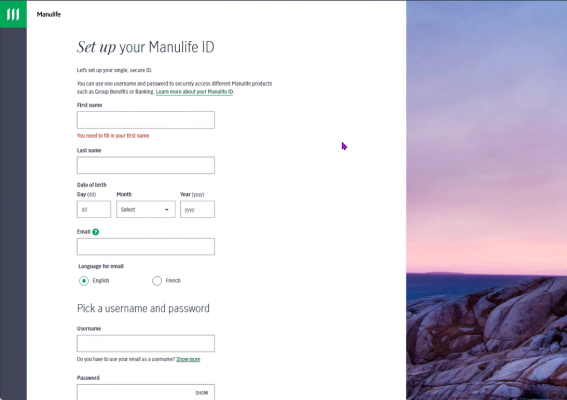
Activation is best experienced on your desktop computer. Visit our Customer Secure Site and click Set up a Manulife ID (scroll to the bottom).
Tip: If you already have Manulife products that you access online, Sign in using your existing username and password (Manulife ID) and jump ahead to step 5.
Step 2
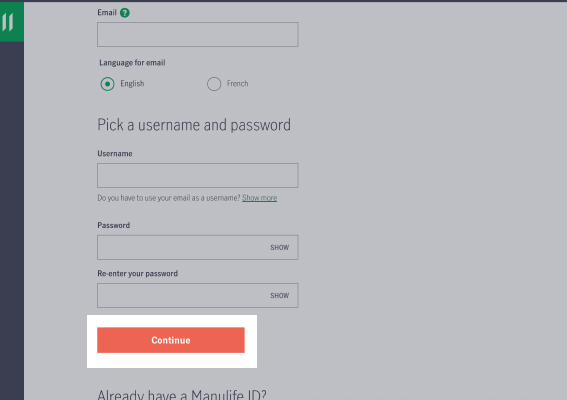
Complete the required fields and click Continue.
Manulife will send you an email to confirm your account. You will have 15 minutes to use the link. If you do not confirm your email within 15 minutes, you will have to repeat steps 1 and 2.
Step 3
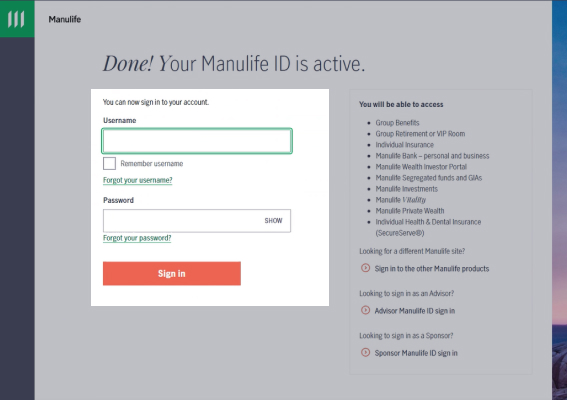
After you confirm your email, you will be taken back to the sign-in page. Enter your username and password and click Sign in.
Step 4
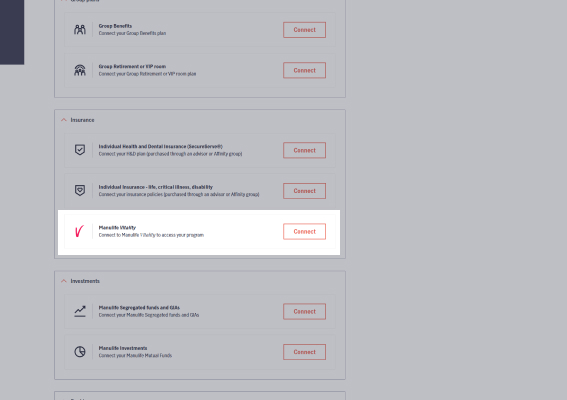
Scroll down and click Connect next to Manulife Vitality.
Step 5
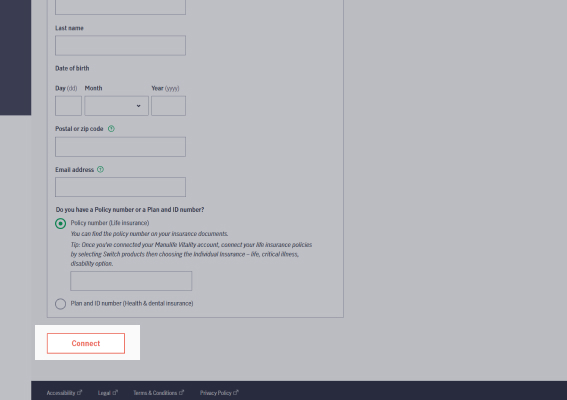
Fill out your information.
Tip: Do not add a space in the postal code.
Step 6
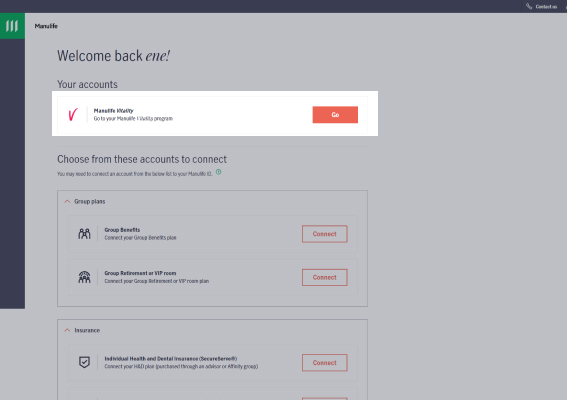
Now that you have connected your policy, click Go in the Manulife Vitality tile.
Need more help?
For personalized support, contact a Vitality Program Expert at 1-855-664-2541, Monday to Friday between 8:00 a.m. and 6:00 p.m. ET. or book a session.
IInsurance products are issued by The Manufacturers Life Insurance Company. The Vitality Group Inc., in association with The Manufacturers Life Insurance Company, provides the Manulife Vitality program. The Manulife Vitality program is available with select policies.
Vitality is a trademark of The Vitality Group International Inc., and is used by The Manufacturers Life Insurance Company and its affiliates under license. Manulife, Stylized M Design, and Manulife & Stylized M Design are trademarks of The Manufacturers Life Insurance Company and are used by it, and by its affiliates under license.
Accessible formats and communication supports are available upon request. Visit manulife.ca/accessibility for more information. Manulife P.O. Box 396, Waterloo, ON N2J 4A9.